KingMemo
Small, light and beautiful notes that stick to your screen.
Formatting, images, checkboxes and alarms.
Small, light & beautiful sticky notes
Coming SoonRich Formatting
Bold, italic, underline, strikethrough, text & highlight colors, fonts with 7 text sizes, and bullet lists
Images & Checkboxes
Paste images right into a note and resize by dragging. Manage to-dos with clickable checkboxes
Groups & Search
Organize notes into groups in the list window, search by title or content instantly, sort any way you like
Alarms & Notifications
Once, daily or weekly repeating alarms with desktop push notifications so you never miss a thing
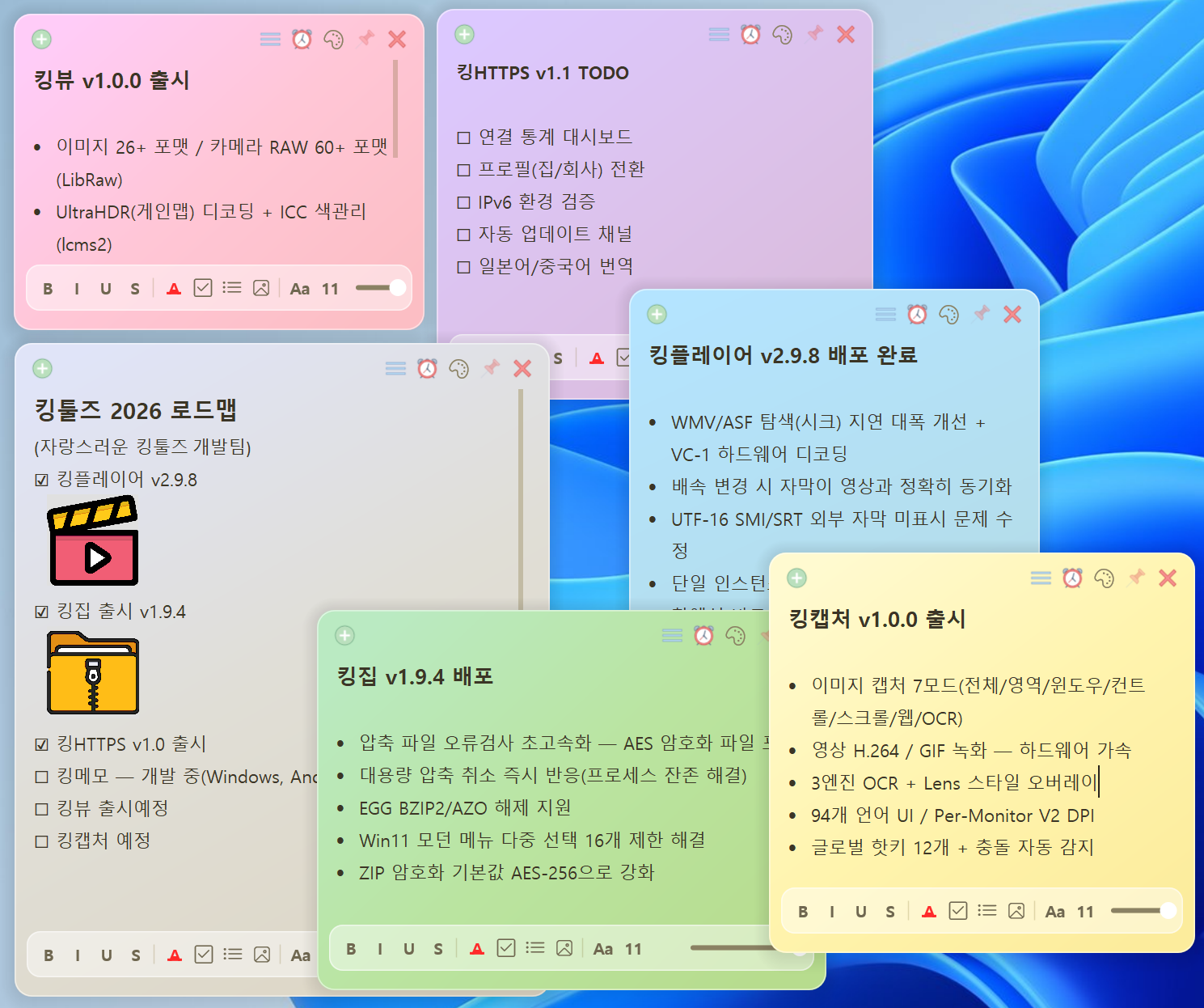
Style notes your way
- Bold / italic / underline / strikethrough formatting
- Text color & highlight emphasis
- Font selection & 7 text sizes
- Checkbox to-do lists (click to check off)
- Bulleted lists
- 8 note background colors + custom colors
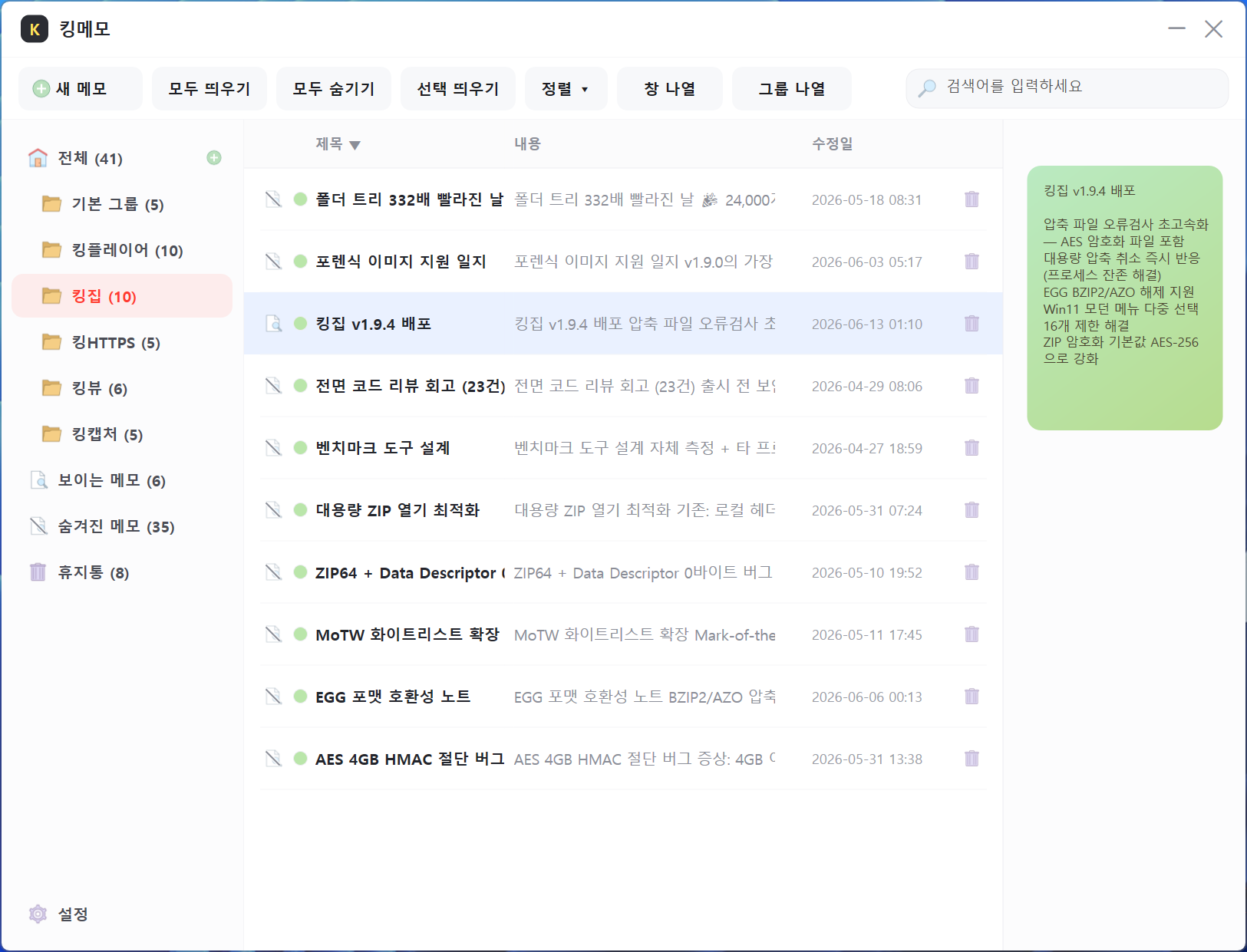
Stays tidy as notes pile up
- Manage every note at a glance in the list window
- Organize notes into groups (folders)
- Partial-match search across titles & content
- Sort by title / content / modified date (primary + secondary)
- Tile note windows on screen in sorted order
- Trash & auto-delete (30 days by default, configurable)
Images live inside notes
- Insert images into the note body (paste or import)
- Resize images by dragging (aspect-ratio lock supported)
- Image size menu (25% / 50% / 100% / fit width)
- Right-click to view the original image
- Large images optimized automatically for storage
Never forget — alarms & notifications
- Per-note alarms (set date & time)
- Repeat once / daily / weekly
- Desktop push notifications (Windows notification center)
- The note pops up with a pulsing border highlight when the alarm fires
- Lives in the tray — alarms keep working with every window closed
Small, light and beautiful
- Tiny install size of just a few MB — install and launch instantly
- Light and silky-smooth display
- Frameless rounded sticky-note look — clean, beautiful design
- Every note is stored only on your PC (nothing is sent anywhere)
- Window positions & sizes auto-saved, open notes restored + optional auto start
- Multilingual UI (Korean / English / Japanese / Chinese Simplified & Traditional)
Expanding to multiple OSes
Starting with Windows, support for Android, macOS and iOS is planned.
Windows
Windows 10 / 11 (x64) — launch platform
Coming SoonAndroid
On your phone and tablet
PlannedmacOS
The same notes on your Mac
PlannediOS
On iPhone and iPad too
PlannedCross-device note sync is also in the works.