Torrent KingTorrent
A high-performance, ultra-fast torrent client
Light, fast and free torrent
Coming November 16
No ads
No bundled software
100% free
Supported platforms
Engine & Network
BT v1/v2 · magnet · DHT/PEX/LSD/μTP · IPv6 · UPnP/NAT-PMP · encryption · proxy
Security & Privacy
No bundled software · VPN kill switch · IP filter · risky file warnings · no admin rights needed
Power User Features
Per-file priority · watch while downloading · torrent creator · bulk tracker editing · garbled name repair
Automation
RSS auto-download · bandwidth scheduler · watch folder · move or run a program when done · shut down when finished
Engine & Network
- BitTorrent v1 · v2 · hybrid and magnet links — download only the files you pick
- DHT · PEX · LSD · μTP · UDP trackers
- Protocol encryption (MSE/PE)
- IPv4 + IPv6 · automatic port forwarding with UPnP · NAT-PMP
- SOCKS4 · SOCKS5 · HTTP proxy
- Auto-pause when disk space runs low
Familiar Layout
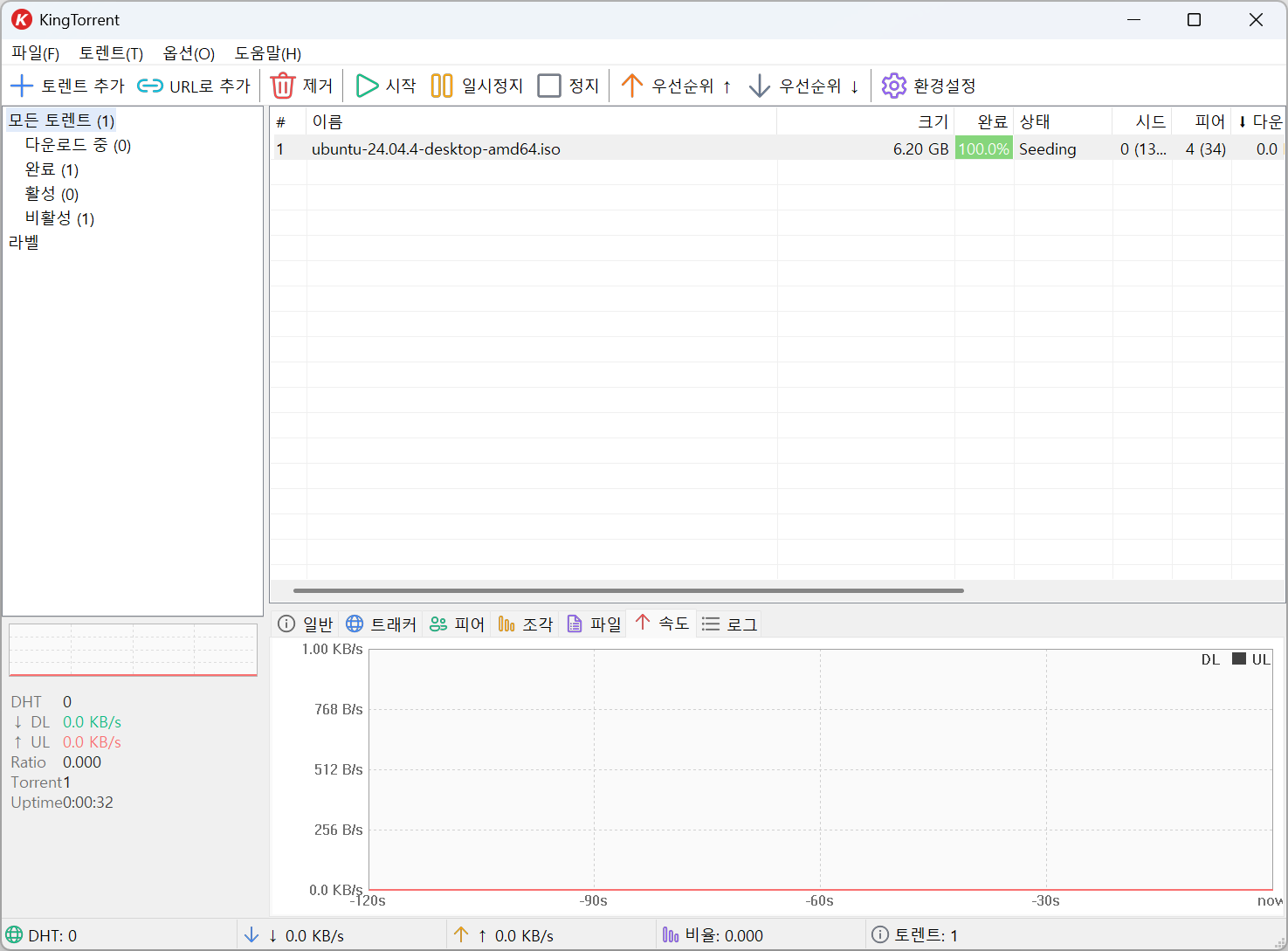
- A familiar layout — toolbar · sidebar tree · torrent list · detail tabs
- 22 list columns — show only what you need · sort
- Detail tabs — General · Trackers · Peers · Pieces · Files · Speed · Log
- A fast list even with 1,000+ torrents
- Connection check in the status bar — port forwarding · CGNAT · firewall
- Tray menu · notifications · taskbar progress
- Dark mode · high-DPI displays
- 94 languages · switch without restarting
Automation
- RSS auto-download — regex rules · no duplicate episodes
- Browse RSS items and pick what to download
- Watch folder — adds .torrent files automatically
- Bandwidth scheduler — speed limits by day and time
- Move to a folder or run a program when done
- Sleep or shut down when everything finishes
- Auto-stop at a seed ratio or time limit
Power User Features
- Per-file priority · sequential download
- Watch while downloading — preview · KingPlayer streaming
- Torrent creator — v1 / v2 / hybrid · web seeds
- Labels · save folder per label
- Bulk tracker editing · bulk passkey change
- Per-torrent speed · ratio · seeding time limits
- Automatic repair of garbled Korean, Japanese and Chinese file names
- Import lists from μTorrent · qBittorrent · back up and restore settings
Security & Privacy
- No ads or analytics — no usage data collected
- No account or cloud — your data stays on your PC
- Installs and runs without admin rights
- VPN kill switch — torrent traffic stops if the VPN drops
- IP filter · block list subscription · leech client blocking
- Protocol encryption · anonymous mode (does not hide your IP address)
Safe Defaults
- Seeding after download is off by default
- A first-run notice about seeding (uploading)
- Warnings for executables and disguised files
- Mark-of-the-Web on downloaded files
- One-click presets — Enhanced Privacy · Router Protection
Keyboard Shortcuts
| Add Torrents | |||
|---|---|---|---|
| Ctrl+O | Open a torrent file | Ctrl+U | Add a URL or magnet link |
| Ctrl+N | Create a torrent | ||
| Torrent Control | |||
| Delete | Remove · Shift+Delete also deletes downloaded files | Right-click | Start · stop · recheck · move · priority · label and more |
| Other | |||
| Ctrl+P | Preferences | Ctrl+F | Search |
| F5 | Refresh | ||
System Requirements
OS
Windows 10 (1607 or later) / 11, 64-bit
Install size
About 23 MB (installer about 6 MB)
License
Freeware · free for individuals, businesses and schools
Frequently Asked Questions
Yes, it is free. There are no ads or bundled programs.
It is a new program, unrelated to either. It is light with no ads and has features such as a VPN kill switch, garbled file name repair and KingPlayer streaming. You can also bring over your existing torrent list.
Yes. BitTorrent shares the pieces you already have while you download, and this cannot be turned off. Seeding after a download finishes is off by default. Only use files you are allowed to share.
No. KingTorrent does not collect usage data, and all data stays on your PC. As with any torrent client, peers and trackers can see your IP address.
Windows 10 (1607 or later) and Windows 11, 64-bit. The installer is about 6 MB and the installed size about 23 MB.
UPnP and NAT-PMP ask your router to forward the port automatically. You can check the result with the connection indicator in the status bar.
Yes. If you select your VPN in Preferences > Connection > Network interface, torrent traffic stops when the VPN drops and resumes when it reconnects.
Yes. File > Import from Another Client brings them over with their save locations and labels.
Add a feed and a rule in Preferences > RSS, and new items are downloaded automatically.
Torrents made with older encodings can show garbled names. KingTorrent fixes them automatically, and you can also pick the encoding in the add dialog.


